
How to Rank in AI Search as a Small Business
Just when you think you’ve got SEO for small businesses figured out, along comes the…

For new businesses or those who want to really take advantage of the world of online marketing, there is no better place to start than Google My Business. Also known as GMB for short, Google My Business is the newest edition of Google Places and, as Google+ has been shut down, is not the only feature you need to worry about for creating listings online.
Google My Business is a free online tool available to anyone. All you need is to create or use a Google account. Though you can use your own, it’s cleaner if you create a new one for your business. Once you have an account, you can then create your listing, where you update key information and can even add photos and videos of your establishment.
Google My Business also works for home-based businesses that provide services to an area. You don’t have to worry about your personal address being shared, as Google will hide this in favour of stating which area you deliver to. This way, Google My Business helps all small business owners improve their listing, how easily people can find their store online, and even their local SEOLocal SEO is the process of optimizing your website to rank on the 1st page of Google for a search term and geographic location that is relevant to your business. efforts.
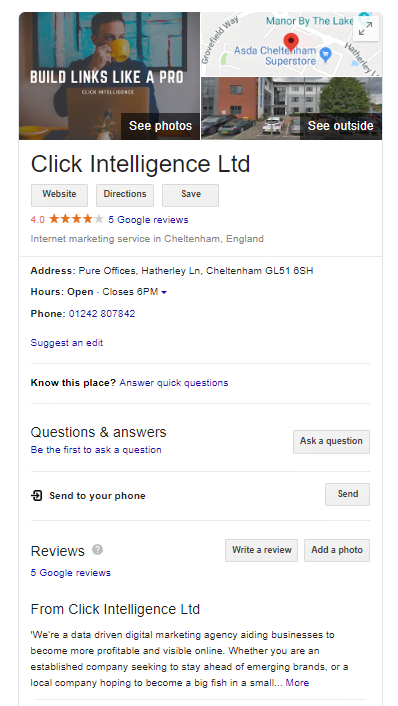
What your Google My Business Listing will create is that profile that you can select when either searching for a specific business or searching for a type of business in a local area on Google. Once selected, this will show key information like location and opening times, as well as reviews, menu linksHyperlinks, also known as links, are the connection points on a webpage that take you to other webpages., photos, and more.
It is a great tool for local businesses and can help bring in customers as well as boost your local SEO efforts. If you aren’t already using it today, then follow this guide.
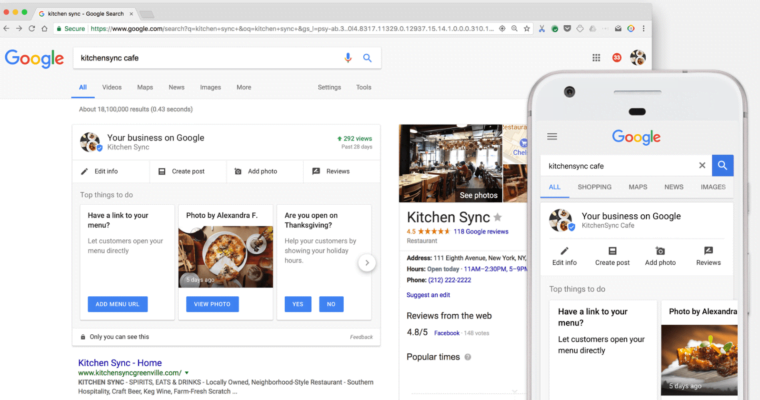
Google My Business is a great way to help others find you online and can also help boost your SEO strategy and your Google page rankings.
Having this listing is essential because 50% of people who search for a business near them will visit that store the very same day. You will, therefore, want the information online to be complete, accurate, and ranked higher than your competition.
There are a few things that you need to set up Google My Business
• A Registered Business That Operates in Person
• A Google Account for Your Business
This means that online businesses don’t count, as you don’t have a physical address for people to visit or an area that you serve.
To set up Google My Business, all you will need to do is follow this easy guide:
1. Log In to Your Business’ Google Account
2. Go to The Business Tab
This can be found on google.com/business.
3. Add Address Details
Once you have started a new listing, you will need to add address details. Do make a note of how you write this address. You will want to use the same format on all future listings and edits.
4. Address Options to Choose From
You have a few choices when it comes to your business address. You can state whether you deliver to a region, rather than have people come to your store. You can also put in a home address. In both of these cases, you can hide this address. Google will then only display the region you work from. It will need your address, however, to verify your business.
5. Choose Your Business Type
There will be a list of categories. Try to be as accurate as possible.
6. Add Online Details
Add other details like your phone number and website. Like before you will want this formatted the same way in every future listing, so keep track of what format you choose. More information can be added later.
7. Choose How You Want to Verify Your Business
Google My Business works for physical stores, and you will need to verify that your business operates from the address you have chosen. There are a few ways you can verify.
Postcard
In this option, a postcard with a verification code will be sent to your work address. It can take a few days to arrive. Once you get it, go online back to Google My Business and verify your company’s address.
Phone Verification
If you have a landline that is connected to the address in question, you might be able to verify your business this way. Google will send a text (for landlines, this will come in the form of a phone call with an automated voice) of the verification code. Copy it down and go online to verify.
Email Verification
In a few circumstances, you will be able to verify by email. This is the same process as any email verification, where you go to your business email and retrieve the code. This is not available for new businesses.
Instant Verification
If you have already verified your business with your Google account on another Google tool, like Google Search Console, you might be able to be instantly verified.
Bulk Verification
You can fill out a form for multiple locations if you select the “Chain” option in the verification dropdown list. Google will review your claim, though this process can take up to a week to finish.
8. Flesh Out Your Google My Business Profile
It’s time to update your profile to be as accurate and informative as possible. Add your opening hours, the area you serve, store features like wheelchair accessibility, your business’ birthdate, and more.
9. Keep Checking In
Set a schedule to check in on your Google My Business profile. Anyone can make edits to your profile online, so you will want to go through on a regular basis to ensure it is still accurate.
10. Add Visuals
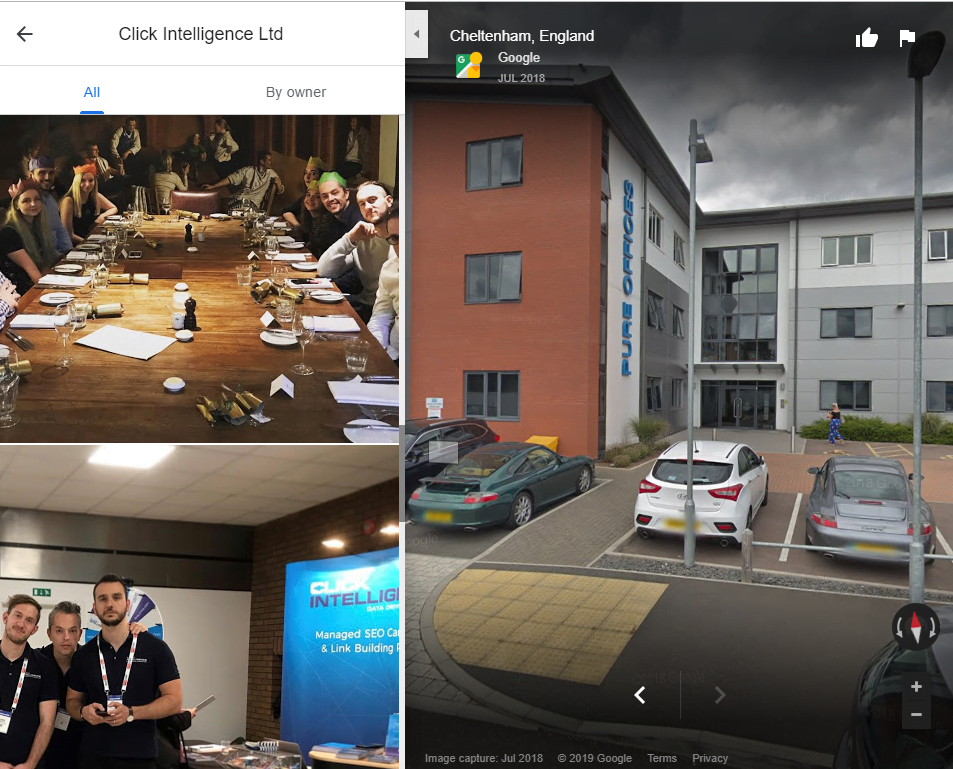
Businesses that have images will see a third more visitors to their site and 42% more customers requesting directions to their business. High-quality photos are also key.
Photo Size
Photos must be at least 720 pixels x 720 pixels in JPG or PNG format.
What Photos to Add
Try to add at least three photos of the following situations:
• Exterior Photos
• Interior Photos
• Product Photos
• Employees with Customers Photos
• (If Applicable) Menu Item Photos
Try to make these as professional and accurate as possible.
Video
Adding video can help you stand out, just note the size and running time restrictions as this can sometimes affect the quality.
Google My Business is a great place to start with local citationsA citation is a mention of your company, product, or service in an online publication. Citations increase the ranking of your site on search engines and building up a strong Local SEO strategy. Follow up by creating other citations, investing in local SEO keywords, and commit to a local PR strategy that boosts your reputation both offline and online.

Just when you think you’ve got SEO for small businesses figured out, along comes the…

Citations are a long-standing SEO trust signal that helps increase visibility in local search results…

Are you struggling to think about what to write about for your content marketing efforts? It’s not an uncommon situation–particularly…

Expertise. Authoritativeness. Trust. These are the three core pillars behind Google’s E-A-T concept. If you have been in the content…
Here is how to find the perfect link building partner, download today!

The amount you invest in your link building budget should be based on the realistic…

Search engines aren't the only automated systems accessing, interpreting, and making sense of content found…

There's plenty of scope when creating SEO campaigns. Each industry that turns to experts for…

PR has long supported brands in building authority and spreading awareness, but PR distribution has…

Towards the end of September, on the 24th, Google released the second spam update in…

Some backlinks can help a key service page gain authority, while others help to strengthen…

SEO can be complicated. It’s constantly changing and is not a one-and-done job. That’s something…

AI has become part of how people research and look for products, as well as…
If you are looking to increase your traffic, sales & leads, let's have a chat!

The team will usually respond within 1 hour.