Your AI SEO Website Auditing Checklist
It’s not just humans that use search anymore. Artificial intelligence plays a huge role in…


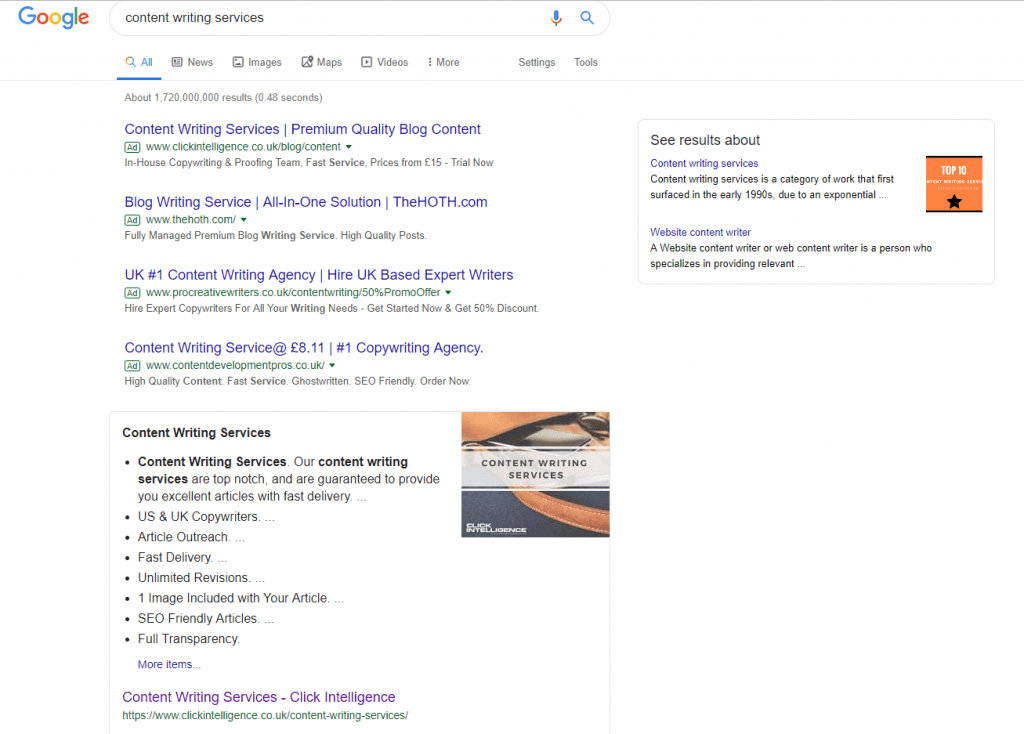
Google is constantly optimising a user’s search engine experience by adding more and more information to a search results page. This includes the inclusion of a featured snippetA featured snippet is a search result that is specially formatted to include a summary of the answer, extracted from a web page.. This snippet is designed to provide the answer to a query on the results page, without the searcher having to do any further clicking.
Featured snippets are usually used as the answer for broad questions, rather than the active search for a product or service. For example, you could search “When is the next bank holiday?” and Google would produce a text box – or featured snippet – taken from a page on the web, displaying the next bank holiday there and then on the search page.
This featured snippet can be displayed in many forms from a simple paragraph to a list with bullet points, a graph, a list with headers, or even photos. Google selects the snippet it deems most suitable from what it has found on the web.
It’s also possible to be presented with a video snippet, which may be an image of a YouTube video that may resolve a query. The video will not begin automatically playing, but it will be visible for you to press play.
Each and every snippet is taking from an existing web page – it isn’t something Google produces by itself. The snippet will be displayed in a large, obvious manner, at the very top of page one – which is, of course, precisely where any business would want their information to be.
So how does a business get their featured snippet to the top?
There is no guaranteed answer for this. Google, as always when it comes to SEO, will choose what it believes to be the best content in order to answer a user’s question. Therefore creating good and useable content is always a plus.
There is no coding or specific practice you need to use for any text which you would like as a featured snippet. There is, however, a way you can tell Google not to use certain information from your online content as a snippet preview (by entering the code <meta name=“googlebotGooglebot is a web crawler. It follows links and indexes pages for search engines to make it easier for users to find what they're looking for.“ content=“nosnippet“> into the header of the page) but of course this would be counter-productive if you did want the opportunity of a snippet to be shown.
Paragraph snippets are the most common, so it would be advised to try and aim for this. To optimise your chances, do the following:

It’s not just humans that use search anymore. Artificial intelligence plays a huge role in…

When a Google core update is being rolled out, digital marketers everywhere eagerly wait to…

If Google's latest Core Web Vitals update has caused havoc to your SEO results, find your solution in our latest in-depth eBook.

Simply appearing on a search page isn’t enough anymore, not in today’s world driven by…

Follow vs nofollow links have been debated in digital marketing for years. Questions are often…

Citations are a long-standing SEO trust signal that helps increase visibility in local search results…

In 2026, digital PR services are essential for any brand wanting to build lasting authority…
Picture this: you're working at an SEO agency, managing multiple clients and delivering strong results…
You may have heard that Google has rolled out a notable new update: the February…
Search is evolving quickly. Large Language Models (LLMs) and Google AI overviews now have a…

Automation is on the rise in just about every industry, and SEO is no exception…
If you are looking to increase your traffic, sales & leads, let's have a chat!

The team will usually respond within 1 hour.