
Follow vs. Nofollow: Why Your AI Search Strategy Needs Both to Succeed
Follow vs nofollow links have been debated in digital marketing for years. Questions are often…


SEO is not something that can be done when a website is first launched and then forgotten about. It is a continual effort that will play a massive part in your brand’s digital marketing strategy year after year. Due to SEO’s ever changing nature, it is also something that needs to be updated and improved upon regularly as the effectiveness of different techniques ebbs and flows depending on algorithm updates.
As a result of how much SEO can change over the course of a year, it’s important to review your current SEO practices to ensure that what you’re doing is the best it can be. This review of your SEO is also known as an audit and it’s a great way to obtain a critical insight into how well your domain is performing, and it can also highlight key issues that need to be fixed.
There is a lot that makes up and contributes to your SEO strategy, including:
An SEO audit will investigate all these aspects, providing a clearer picture of how your SEO is functioning.
Due to the nature of the exercise, there are many benefits to doing a technical SEO audit, with the main one being that it can help you improve your SEO in the future. However, this only scratches the surface of what an SEO audit can do for you.
An audit will allow you to visibly check out the health of your website, giving you a chance to assess crucial elements such as site speed and mobile optimisation. Analysing these metrics in an audit makes understanding what needs improving much easier. Implementing these changes can boost the visibility of your website in the search engines.
Furthermore, an SEO audit aims to boost the user experience. This is a crucial part of your SEO as UX has grown in recent years to become a considerable ranking factor on Google, with it being the sole focus of their new core updates. To continue to be successful, you need work on any faults or issues within your UX, which an SEO audit will illuminate.
Finally, a technical SEO audit is also a good way to see what your competitors are doing, allowing you to implement their tactics to boost your brand and stay competitive, or even go beyond what they’re doing so that you can get ahead.
An in-depth technical SEO audit can be time-consuming and a little tough to do for those who haven’t got experience with it. For that reason, it’s always a good idea to employ a third-party agency to complete the audit for your company’s behalf, as this can save time and provide you with a super detailed SEO audit. Click Intelligence are experts in undertaking a Technical SEO Audit; however, if you’re interested in learning how to do one yourself, be sure to follow these steps to ensure that you’re on the right track.
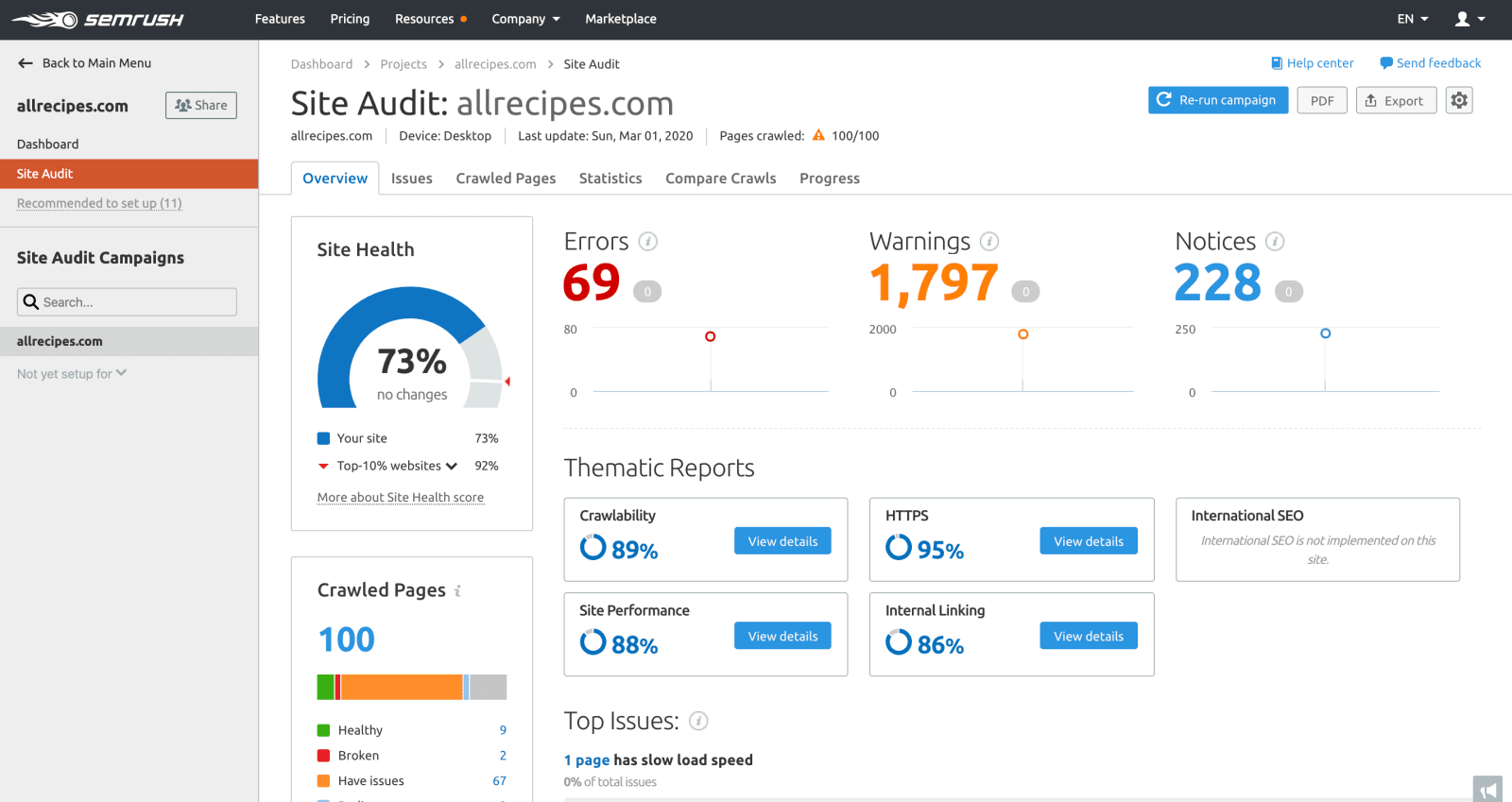
The first thing that you’d want to check is to see if your website has been set up properly so that search engine crawlers can easily get through your work and index pages. This is important because if they cannot understand your pages and crawl through them, you won’t rank, as the search engines won’t know where to display your content.
The best way to quickly and effectively check for these issues is to use SEMRush’s Audit tool. It will check all your pages and inform you of what pages have problems, how many redirectsA redirect is a web page that loads in place of another web page. you have, and the number of redirects, as well as the overall site performance. With this information, it’ll direct you on what needs to change.
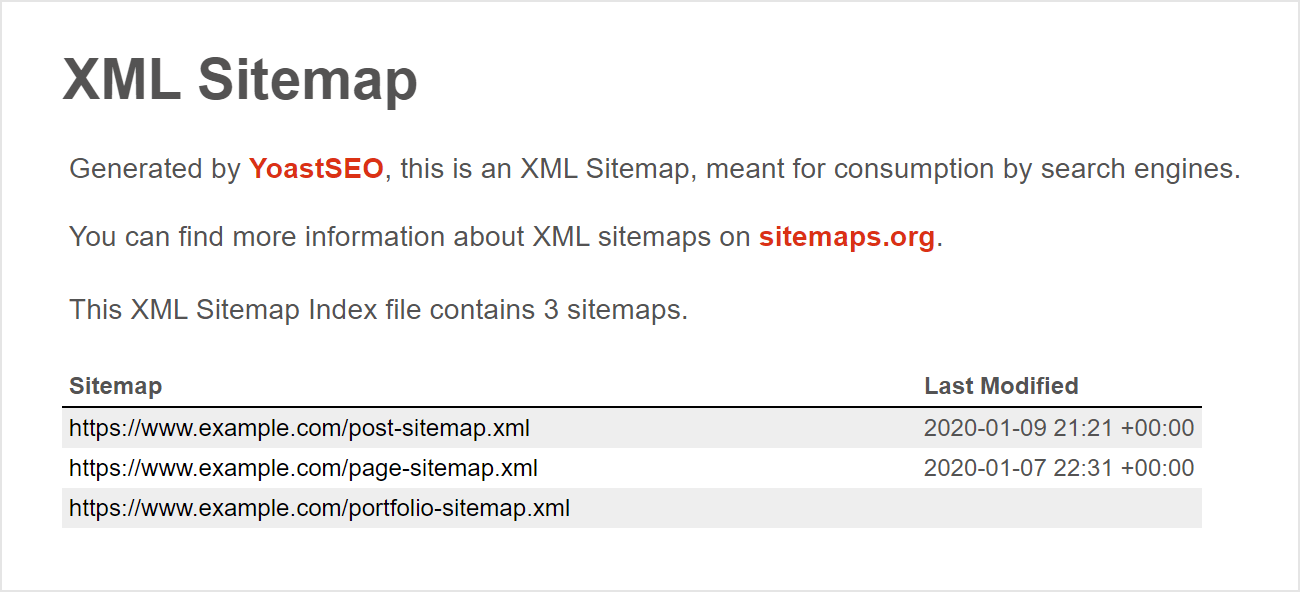
It’s also a good idea to check your XML sitemapA site map is a list of pages on your site and their relative importance. Use sitemaps to make it easier for visitors to find what they're looking for, and to ensure that search engines can find all the information they need., as search engines use this to crawl your website and understand how each page relates to each other. Make sure that your XML sitemap is correct and valid.
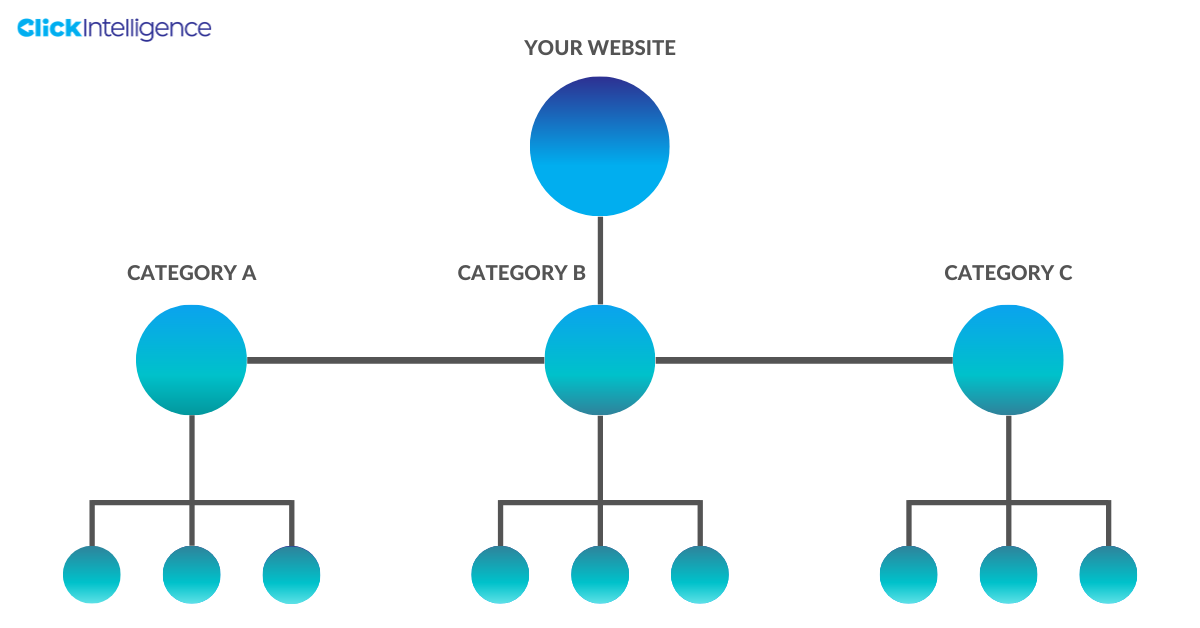
The way your website is built and organised can negatively affect your SEO if there are issues, so it’s worth using a technical SEO audit to ensure that your site structure, hierarchy, and URL structure are all up to par.
When reviewing the site structure, it’s important to remember that the main goal of a website is for it to be easy to navigate. To ensure that your structure is good enough, test to see that you can get to any page on your website from your homepage in under three clicks, review menus to ensure they’re logical, check that pages are grouped in a way that makes sense, and make sure that all your URLs follow the same structure.
When fixing hierarchy, you want to make sure that no page is too ‘deep’ within your website, as this suggests to Google that these pages aren’t important, meaning that they won’t consider it relevant. Try to flatten your hierarchy, grouping pages via keywords and themes. Note that doing this will change your structure and URLs, meaning that your navigation menus will have to be altered too.
When improving the URL structure, you want to make sure that it reflects the user’s journey from the homepage to the page that they’re on. For example, if their journey looked like this:
Homepage > Haircuts > Men > Cut and Finish
Then you’ll want the URL to mirror it so that it’s clear to the user and Google:
Domain.com/haircuts/men/cut&finish
Canonical tags are pieces of code that are used to indicate what the ‘master page’ is that you want Google to index when you have pages with exact match or similar content. They are there to stop search engines from indexing the wrong pages and can give you more control within the search results.
When conducting a technical SEO audit, you want to ensure that your canonical tags are following best practices. These include only using one tag per page, using the correct domain protocol – such as HTTPS or HTTP, and specifying whether you want the www or non-www version to be indexed.
Internal links are crucial for your website, as not only can they improve your SEO by linking high authority pages to ones that need a boost, but they can also improve the user experience as well. Using a technical SEO audit tool will be able to scan your links and illuminate any issues found on both your navigational and contextual links.
The main issue you will want to fix first is if you have any orphaned pages. These are pages on your website that have no links leading to them, meaning that it can be very hard for users to find them, and they may not even be indexed by search engines, regardless of if it’s on the sitemap or not. Be sure to create links to this page to boost its performance instantly.
You also want to fix any broken internal links that may have appeared and work your way through any warnings and notices that your technical SEO audit tool may have picked up. When checking your links, make sure that the anchor textAnchor text is the text highlighted by a hyperlink. The words highlighted are crucial for SEO, informing Google’s crawling bots about the content of the site linked to. used is relevant and targets important keywords while also making it clear to the user what they should expect when they reach the hyperlinked page.
If your website isn’t secure, then users won’t be able to trust it and may not be inclined to complete transactions over the domain, as a lack of encryption and protection can mean that hackers target their information. A technical SEO audit will be able to investigate how secure your website is, informing you of issues that include:

How fast your website loads and functions is a huge ranking factor for many search engines and will also impact the user experience too. You want to make sure that you have a good website speed, which is how fast a single page will load. When you work to improve this, your entire site speed will increase by default, which can be helpful.
To check your current website speed, Google has a nifty tool called the PageSpeed Insights analyser. It will give you a score out of 100, using various metrics to figure out your website’s performance, with the high number indicating a good speed.
Good ways to boost the speed and performance of your website are:
However, the best way to quickly improve your website speed is to optimise images because these are usually taking up all the time to load. Ensure that they’re sized to their display size and are compressed so that you do not have to load massive files.
Redirects can be detrimental to your page loading speed and indicate a bad user experience, so it’s worth going through any redirects highlighted via your technical SEO audit to see if they can be fixed or improved.
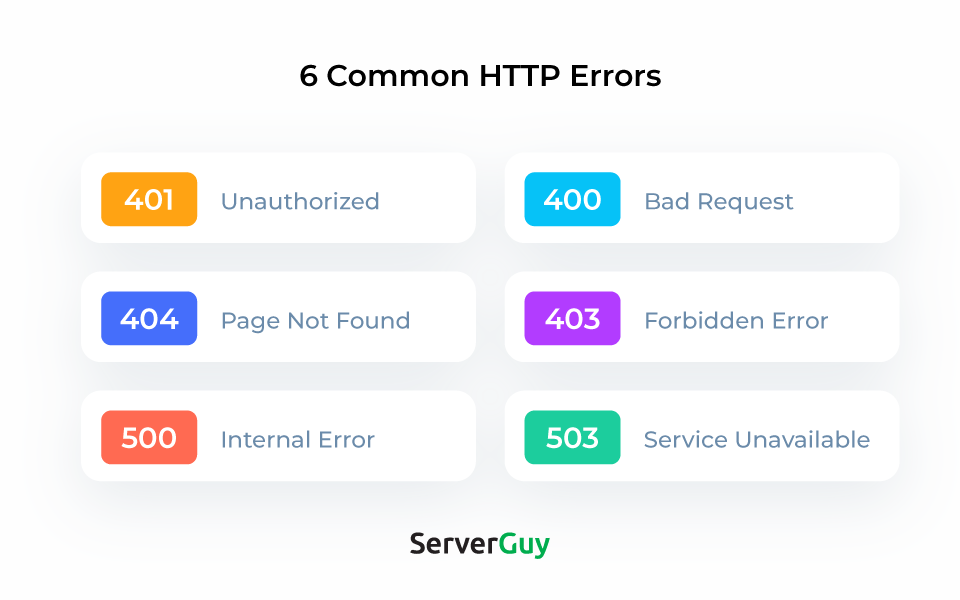
When looking at re-directs, you want to pay attention to the status codes, as they will inform you of their nature. Status codes starting in 3 indicate that users and search engines are being redirected to a new page. There are three different codes in this bracket:
You can also get status codes that start with a 4. These show that a requested page can’t be accessed, and all should be done to reduce the number of them.
This part of the technical SEO audit is all focused on the content on your page, where you’re making a conscious effort to ensure that it’s optimised and discoverable by search engines. There are a lot of different things to consider when looking to improve on-page SEO, including checking the length of title tags to ensure that they’re not too long, ensuring that there are no missing or duplicate header tags, and checking to see that there’s no thin content.
As well as these eight steps, there are additional things that you can check and review that can be beneficial; however, by only following these suggestions, you’re sure to make significant improvements to your SEO. That’s the beauty of SEO audits, they can be focused on whatever issues you want to identify and fix and can be as in-depth as you desire; it all depends on your preference! It’s important to be looking to improve your SEO continuously. With a technical SEO audit, you can highlight issues and areas of concern, making it easier to create a targeted action plan of improvement.
Click Intelligence has launched a SEO reporting software called Click Insights which includes a SEO audit tool. If you need support with managed SEO services or technical SEO audits, feel free to contract us.

Follow vs nofollow links have been debated in digital marketing for years. Questions are often…

Picture this: you’re working at an SEO agency, managing multiple clients and delivering strong results…

If Google's latest Web Core Vitals update has caused havoc to your SEO results, find your solution in our latest in-depth ebook.

Without the correct tactics, your website doesn’t have a chance of appearing prominently on search engine results pages. Because if…
Link Building or Managed SEO which is right for me?

Simply appearing on a search page isn’t enough anymore, not in today’s world driven by…
Follow vs nofollow links have been debated in digital marketing for years. Questions are often…

Citations are a long-standing SEO trust signal that helps increase visibility in local search results…

In 2026, digital PR services are essential for any brand wanting to build lasting authority…
Picture this: you're working at an SEO agency, managing multiple clients and delivering strong results…

You may have heard that Google has rolled out a notable new update: the February…

Search is evolving quickly. Large Language Models (LLMs) and Google AI overviews now have a…

Automation is on the rise in just about every industry, and SEO is no exception…
If you are looking to increase your traffic, sales & leads, let's have a chat!

The team will usually respond within 1 hour.