
The Top 3 Digital PR Services to Harness in 2026
In 2026, digital PR services are essential for any brand wanting to build lasting authority…


If you are responsible for your company’s SEO and content marketing, you’ll know how important it is to stay on the right side of Google. After all, a whopping 8.5 billion searches are processed by the search engine giant each day. In an ideal world, you’ll want to capture organic trafficOrganic search traffic (sometimes called natural or unpaid search) is the traffic that's driven to a website because of unpaid placement on a search engine results page. for each search that is relevant to your business and industry. Now, it probably isn’t possible to capture every single one, but with a carefully thought-out SEO and content marketing approach, you can see a big increase in organic traffic.
There are lots of tools out there that can help with your SEO and content marketing, and what’s even better is some of the most helpful ones are free to use! It is highly likely that you are already using Google Search Console and Google Analytics to measure your success based on metrics related to your efforts. However, there is another free Google tool you should be using: Google TrendsGoogle Trend tool is a free service from Google that lets you see how popular a particular search term or topic is over time.. To find out more about this helpful tool and how to use it to enhance your SEO and content marketing strategy, keep reading!
Google Trends is a tool that shows you Google search data trends for a keywordKeywords are the words and phrases that potential customers might search for to find your business. or search query over a period of time. It displays results in a graph so you can see what’s on an upwards or downwards trajectory. Knowing what search terms are trending or dwindling in popularity can help inform your SEO and content strategy so you can capitalise on popular searches, leading to more organic traffic.
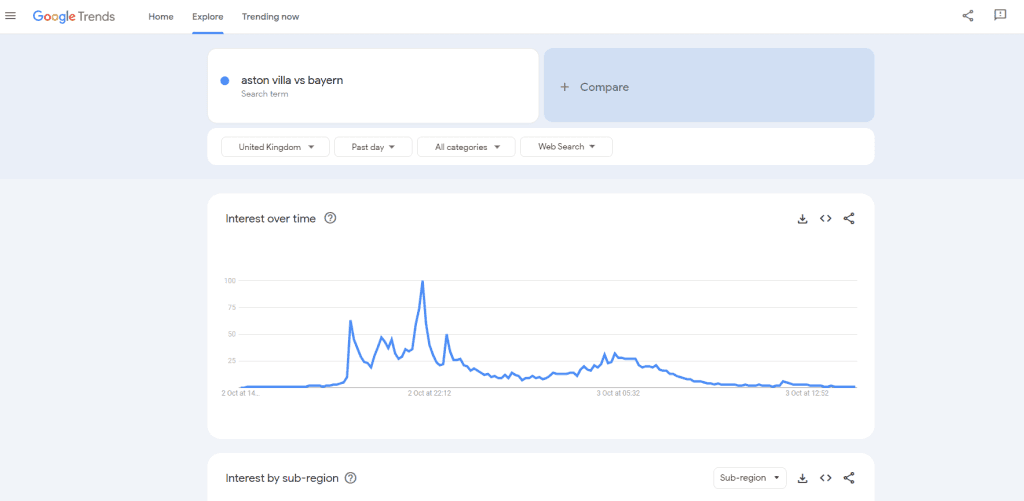
You might wonder, where does Google Trends data come from? Google Trends shows search data from as far back as 2004 and, according to Google, is taken from an unbiased sample of search data that is anonymised, categorised, and grouped together to best measure interest in certain themes.
Google Trends for SEO is fairly simple to use. Its main feature is the Google Trends search volume tool. To use this, enter your search term, and it will throw up a graph displaying how the keywords have trended over time.
What’s more, you can compare up to 5 search terms at once and filter them to make the results more relevant to you by using the following:
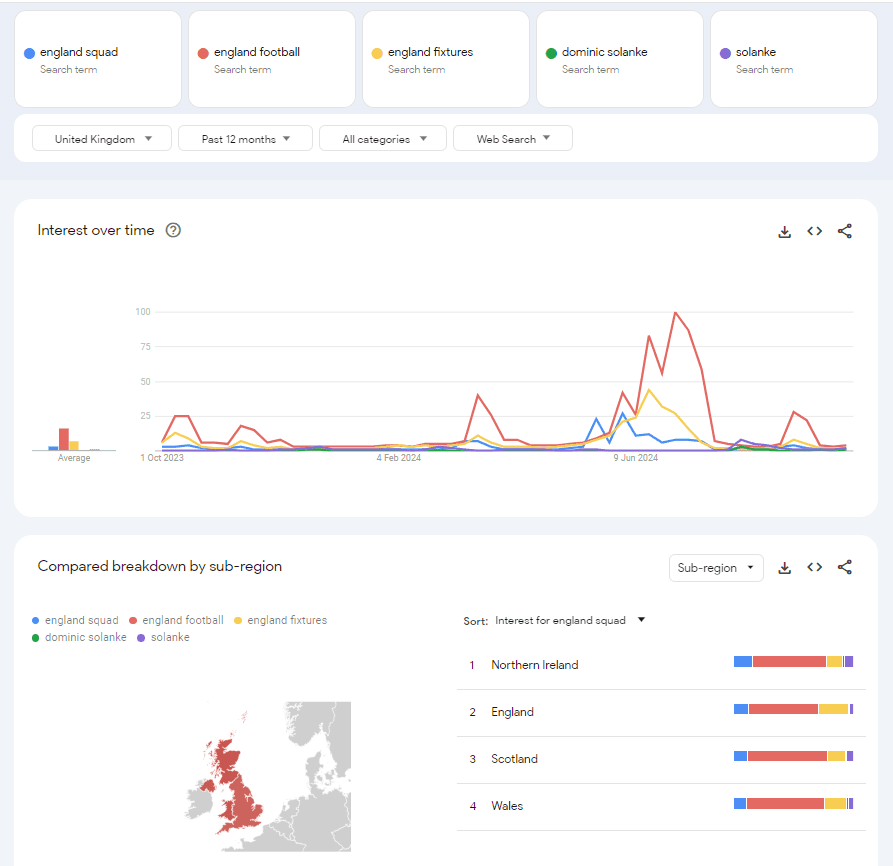
It is important to mention that the Google Trends SEO keyword data is not the same as keyword search volumes that are available from third-party tools. Instead of an estimated figure of how many searches have taken place for a phrase, Google Trends shows Google search volume data as percentages on a scale of 0 to 100.
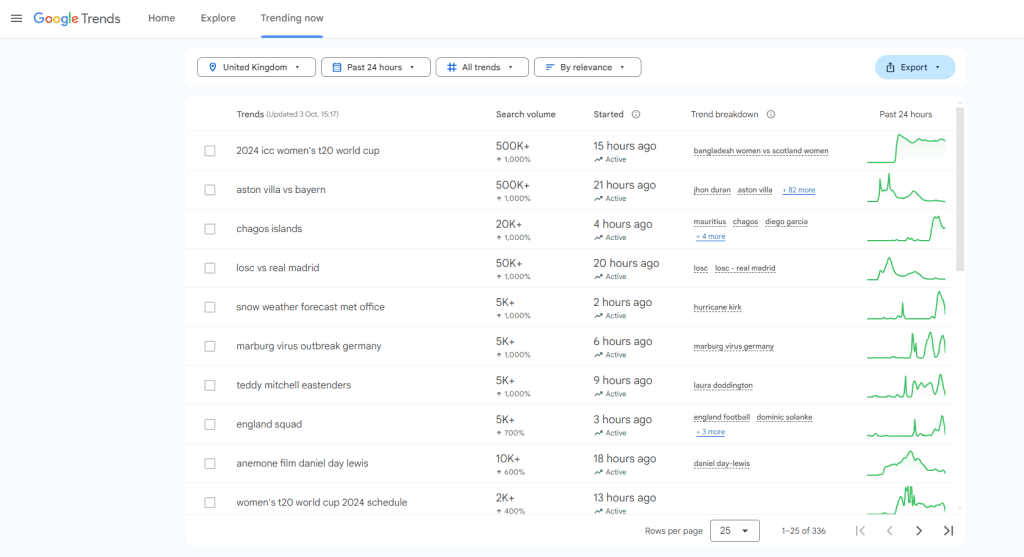
So, you’re using Google Trends, and you’ve plugged in a keyword. What do the results mean?
As an example, you might find that your keyword has a low search volume but is on an upwards rise. In this case, it would be smart to use this keyword as a springboard for quality content ideas and get that content published quickly so you can capture as much search engine traffic as possible and stay ahead of this emerging trend.
On the other hand, if you notice that a phrase has had a huge number of searches but is starting to drop off, you might want to steer clear of focusing your efforts on creating content for this, as people are losing interest in it.
Using Google search data trends alongside other Google tools, such as Google Search Console, can give you a stronger campaign. By using Google Trends to cross-reference the keywords you find in Google Search Console, you can determine whether a keyword is worth targeting with fresh content based on its popularity, which can save you precious time and resources.
As well as helping you to prioritise your resources, Google Trends has some other handy features that can help you with your content planning.
For every search you enter into Google Trends, it will show suggested keyword groups to help you narrow your search further, allowing you to receive highly relevant results. This is useful if the term you are searching for has more than one meaning or can be applied to various contexts, for example.
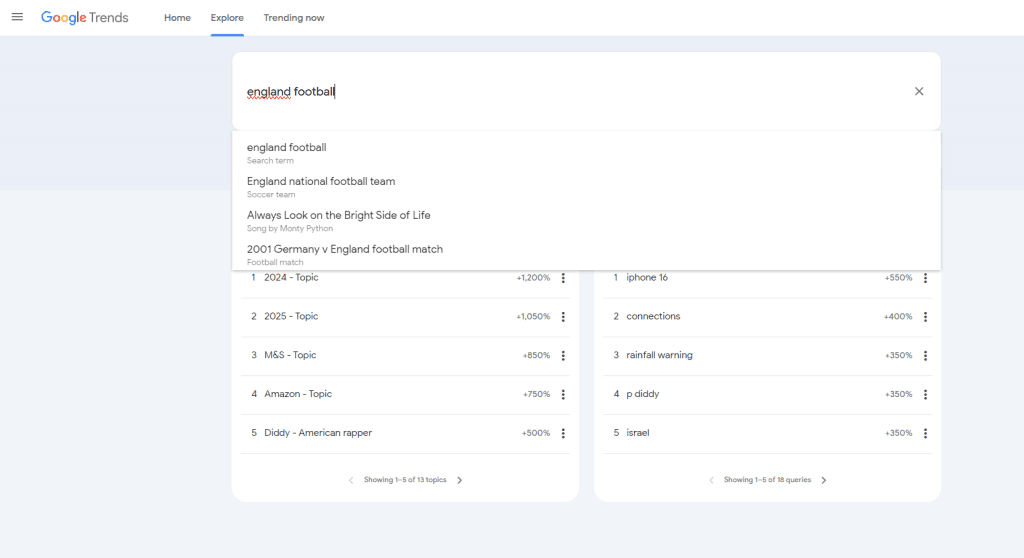
As well as a graph charting the popularity of certain search terms, further down the page, Google Trends also shows ‘Related Queries’ and ‘Related Topics.’ Both can unlock new ideas for the direction your content strategy should be heading in.
Related topics and queries show related searchThe Related Search feature on Google is a clever way to find more relevant information about a topic. terms to your concept and more general related search queries. What’s helpful about this tool is you can filter the results by ‘top’ and ‘rising.’ Using the rising filter, you can see what terms are becoming popular as more people search for them. Google Trends also shows a percentage of how much the search term is growing.
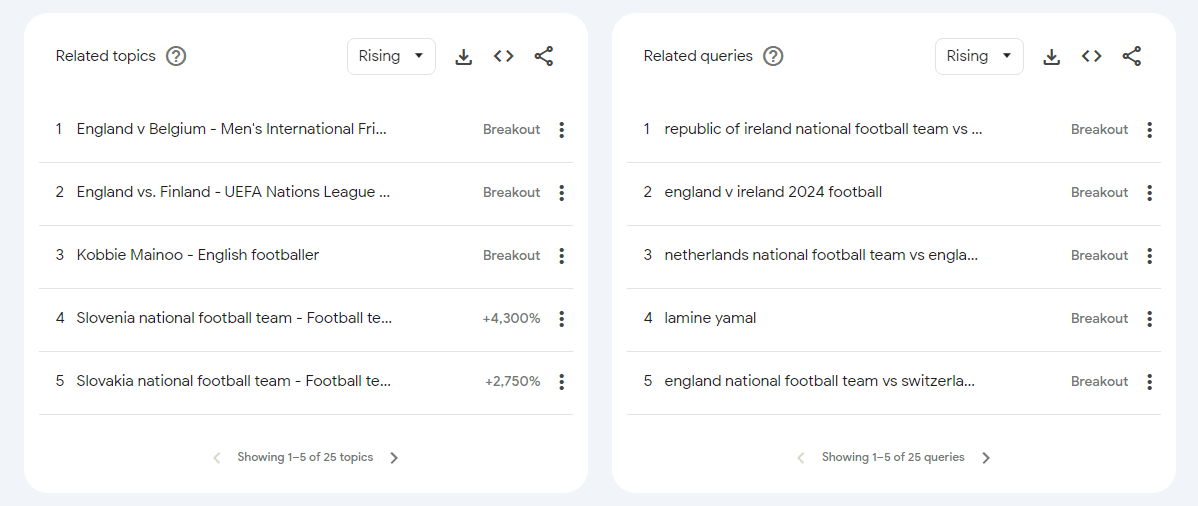
What does breakout mean on Google Trends? When looking at the related queries and topics section, you might see the word ‘breakout’ instead of a percentage. These are terms that Google doesn’t have enough ‘before’ data to work out a percentage, but it means that the keyword is growing in popularity significantly, so it might be worth factoring this into your content creation.
Looking at keyword trends over the last 30 or 90 days is always a good idea. This can give you an insight into what’s trending and what’s not to help you ride the wave of success with content that is focused on these trends. There’s a lot of untapped traffic to take advantage of here in Google Discover and Google News – both show content that has been recently published and is of the moment.
Now you know how Google Trends works and some of its most useful features, you can make sure that your content strategy is in the best shape to take advantage of these fluctuations. With helpful filters that include time and location, which can be particularly helpful for your local or international SEO efforts, fresh content ideas can keep on coming. Of course, you still need to make sure that your content is highly relevant to the audience and your industry and be wary of stuffing your content with keywords just for the sake of it.
If you’re stuck in a rut when it comes to content inspiration and you don’t know where to start with your keyword researchKeyword research helps websites unearth the best keywords to drive traffic and visibility. This research is supported by a number of powerful web-based tools, the best of which we’ve listed here., then our SEO services are here to help. We’ve got the experience and know-how to elevate your position in the SERPs

In 2026, digital PR services are essential for any brand wanting to build lasting authority…

Search is evolving quickly. Large Language Models (LLMs) and Google AI overviews now have a…

Seasonality can have a huge effect on the success of your business. It is imperative to have a strong digital marketing campaign during periods of high consumer demand.

Download our free guide of how to run a successful outreach campaign.

Download our free Millionaires SEO Guide Today!

Simply appearing on a search page isn’t enough anymore, not in today’s world driven by…

Follow vs nofollow links have been debated in digital marketing for years. Questions are often…

Citations are a long-standing SEO trust signal that helps increase visibility in local search results…
In 2026, digital PR services are essential for any brand wanting to build lasting authority…

Picture this: you're working at an SEO agency, managing multiple clients and delivering strong results…

You may have heard that Google has rolled out a notable new update: the February…
Search is evolving quickly. Large Language Models (LLMs) and Google AI overviews now have a…

Automation is on the rise in just about every industry, and SEO is no exception…
If you are looking to increase your traffic, sales & leads, let's have a chat!

The team will usually respond within 1 hour.