
Insight into the Google September 2026 Spam Update: What It Means for You
Towards the end of September, on the 24th, Google released the second spam update in…

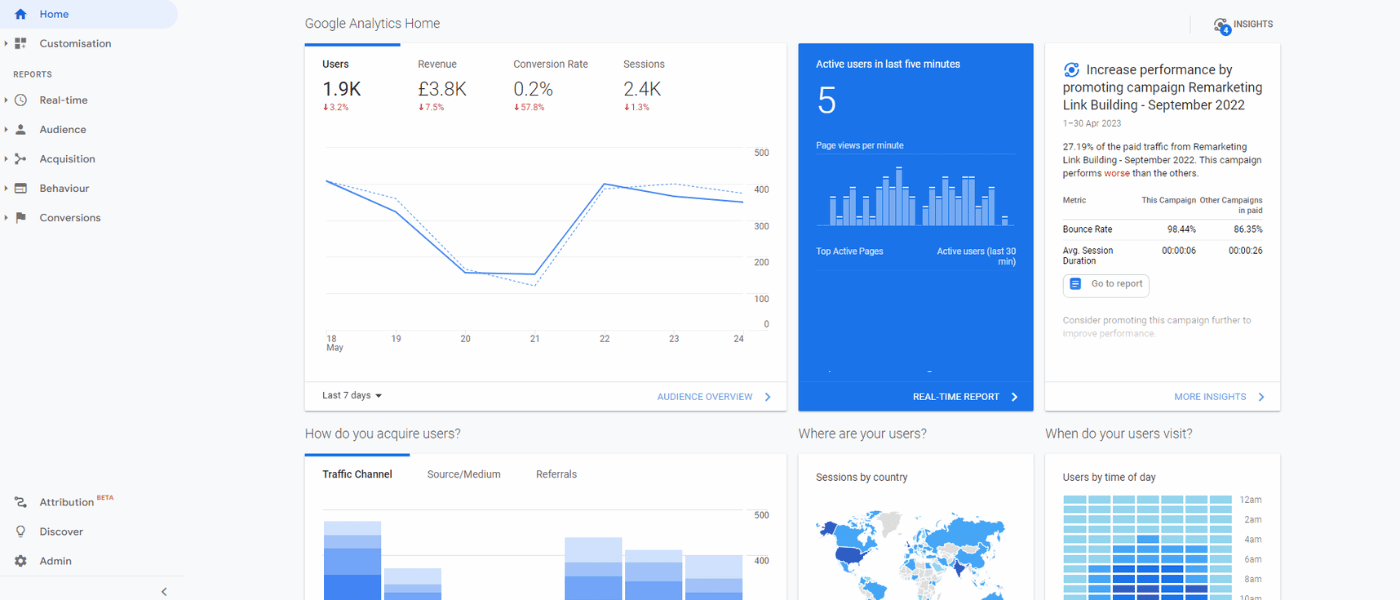
This is the year we wave goodbye to Universal Analytics (UA). The beginning of July and October 2023 will see Google cease processing hitsWeb page hits were all the rage in the early days of the internet, but have since been replaced by far more granular, valuable data. for standard UA properties and UA 360 properties, respectively. Stepping into its place is Google Analytics 4 (GA4).
GA4 has long been the heir apparent. Since October 2020, it made its way out of beta and is set as the default option for properties revolving around Google Analytics. Offering valuable features for both marketers and web developers, GA4 has provided a seamless platform switch from UA.
At least, that’s what Google wishes.
Even though the end date for UA is fast approaching, there are still professionals that have yet to venture from their comfort zone and fully adopt GA4. There are various reasons why this is the case. However, the main sticking point, from what we have assessed, is the different features between the 2 platforms.
This guide takes a closer look at the key differences between GA4 and UA, including how to adapt to the changes if you have yet to do so.
As their names suggest, analytics is at the heart of each tool, and both supply you with a wealth of data to learn more about your audience. Yet there are differences – some significant, others barely discernible – between Google Analytics 4 and Universal Analytics.
When first getting to grips with GA4 after being a staunch advocate of UA, there are 2 changes that are often more noticeable than most:
Below we explore both of these points in greater detail – plus describe how you can adapt to each change.
What happened to ‘views’? When it comes to the new iteration of Google Analytics, this is one of the questions we receive the most. After all, in UA, the usual course of action involved the following steps: Account > Property > View.
The disappearing act of these views, understandably, led to confusion and even anger among UA users. When someone is well-versed in using a certain feature, they are unlikely to be enthusiastic about switching to a different system – particularly when the original remains available.
However, that won’t be for much longer with UA’s sunset drawing closer. That means you need to get used to the replacement for views – and fast.
The good news: almost all UA views are covered by the different features found within GA4. Here are some of the main situations:
As you would expect, there have also been notable improvements to this area of analytics. For example, remember when you had to remove bot activity through the use of sophisticated filters? That doesn’t have to be done any longer. The reason: every known bot and spider is excluded from data by default with GA4. That saves you a job.
How to adapt to GA4
Replacing UA’s views is one of the main reasons people have held off switching to GA4. Nevertheless, the right approach can make the adaptation stage a whole lot easier. By using data filters, reports, data transformation, customisation, and other elements, it is possible to largely replicate the views aspect of UA within GA4. This is certainly the case when utilising solutions such as BigQuery for custom data sets and Looker Studio for visualised data to improve overall performance.
Teething problems are natural when attempting to replicate the work done with views. Yet once the groundwork is done, and once you’ve become accustomed to how everything works in GA4, you won’t miss the former configuration of this analytics component.
It’s not just views that have been sent packing. As part of GA4’s new features, it has also resulted in the removal of goals. When used in UA, goals had the role of tracking conversions and user actions – the ones that were important to follow for any business. However, these goals have been replaced by conversionA conversion is a desirable result on a website that leads to an action such as completing an order, filling out a form, or simply clicking on a link. events.
How do these measurement models differ? Below is an analysis of some of the main changes between GA4 event conversions and UA goals:
UA | GA4 | |
Types |
| In GA4, it is only possible to replicate destination and event UA goals as conversions. |
Matching conditions | You are limited to the following parameter selections:
| Events and parameters for conditions are utilised by GA4. The platform uses all possible parameters – and that includes custom ones for specific events. |
Match types/operators |
|
|
Limit | For each reporting view, there’s a limit of 20 goals. |
|
How to adapt to GA4
Once you have gotten to grips with the “Create event” section in GA4, putting together conversions is not too difficult. You select a parameter from a dropdown, pick an operator, and input your value. Once done, your event is effectively ready to go.
Again, there is a period of adjusting to events after the removal of goals. Yet there are significant advantages gained with GA4’s approach compared to the old method used within UA.
The above 2 examples might be the most prominent differences between UA and GA4. Nevertheless, the replacement of views and goals is only the start – there are numerous distinctions between the 2 platforms.
Although we could go on all day about them, here’s a quick rundown of other important differences:
If you’d like to learn more about GA4 and how it differs from Universal Analytics, make sure to read our comprehensive Google Analytics 4 Guide.
Adapting to GA4, particularly if you have been happy using UA for years, is not easy initially. It is something of a culture shock due to all the changes, removals, and additions you need to accept. Ultimately, UA isn’t going to exist for much longer, and it’s not returning.
Fortunately, the right approach – as well as the right knowledge and guidance – can get you up to speed with GA4. Soon you’ll realise why it is a superior solution for your business.
Are you looking for more SEO resources? We have you covered!:
Click Insights, SEO reporting software

Towards the end of September, on the 24th, Google released the second spam update in…

If you’ve ever tested your website using Google PageSpeed Insights, you’ve probably been met with…

It's clear that a new management approach can do wonders for your company, and one of the most cutting-edge and…

Expertise. Authoritativeness. Trust. These are the three core pillars behind Google’s E-A-T concept. If you have been in the content…

We’re going to take a look at how you can turn your eCommerce dream into a reality.

The amount you invest in your link building budget should be based on the realistic…

Search engines aren't the only automated systems accessing, interpreting, and making sense of content found…

There's plenty of scope when creating SEO campaigns. Each industry that turns to experts for…

PR has long supported brands in building authority and spreading awareness, but PR distribution has…
Towards the end of September, on the 24th, Google released the second spam update in…

Some backlinks can help a key service page gain authority, while others help to strengthen…

SEO can be complicated. It’s constantly changing and is not a one-and-done job. That’s something…

AI has become part of how people research and look for products, as well as…
If you are looking to increase your traffic, sales & leads, let's have a chat!

The team will usually respond within 1 hour.

Comments (2)